|
This is the final task that you will be required to complete. It involves you
using Microsoft PowerPoint to create a presentation. This presentation like your
website can be a personal presentation and does not need to about your business;
instead your presentation can be about anything you like (you must confirm your
presentation is suitable with the teacher before starting).
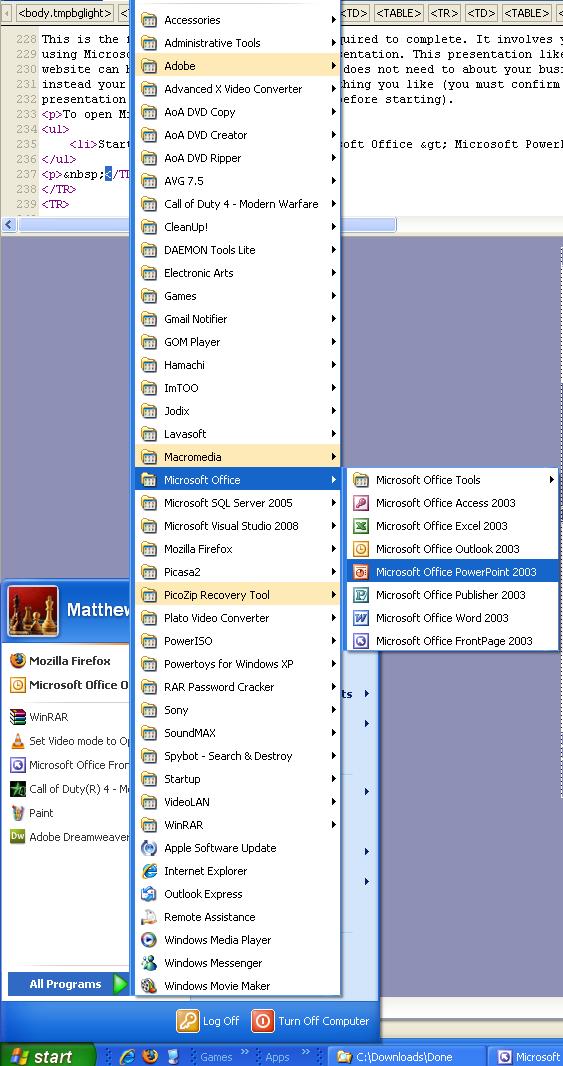
To open Microsoft PowerPoint go to:
- Start > All Programs > Microsoft Office > Microsoft Office PowerPoint
2003
Once you have opened Microsoft PowerPoint click:
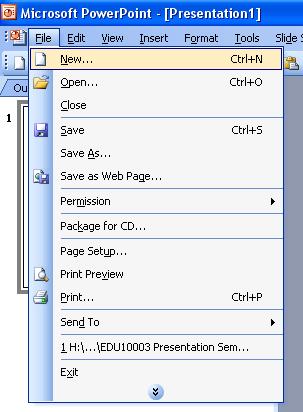
On the right of the screen you should see a new menu appear, select:
 If
you cant find the menu have a look at the picture above; have a closer look by
clicking on the picture. The menu you are looking for is circled in red on the
right hand side of the page. Once you have done this, you can
start selecting your designs from the list. Make sure you save your work as soon
as you have selected your template. |


